TrioLMS
Sign in Start a free trial

Who it’s for

A training site for every client or branch

One TrioLMS account, and a site of its own for each client or branch, with its own people, courses and records. Pick the one that sounds like you.

Give every client their own training site

From one TrioLMS account, give every client a site of their own. Upload each course once, run the site for them or hand it to their own admin, and keep the files on the platform.

Tom, who runs a small e-learning studio, at his desk in an open-plan office, with two colleagues working behind him.
Tom, small e-learning studio

Give every client their own training site, and keep your courses.

Tom’s studio licenses its “Data protection basics” course to a logistics firm for 200 staff, for a year.

Before
They would send the zip. A year later it would still be in the client’s LMS, used by 340 people, and the renewal conversation would go nowhere.
With TrioLMS
The course stays on the studio’s account. The logistics firm gets its own site with 200 seats and its own admin, and the course’s last day is the end of the licence. Tom can see 148 people have finished, so the renewal call starts with numbers.
Then
The studio puts its other 14 clients on sites in the same account. One bill, seats shared where they’re needed, and a monthly “managed training” fee on every client.
The honest bit
The client that insists on running the course in its own LMS still gets the zip. TrioLMS doesn’t fix that one.

This is an example. The names and details are made up.
Sound familiar?

“Once I hand over the zip, it’s gone.”

You can’t see who uses it, keep it up to date, or charge for it again.

“I look after an LMS for every client.”

Separate sign-ins, separate bills, and a different system to learn for each one.

“Each client wants their own.”

Their own address and admins, their own records, and nobody seeing another client’s people.

How it works for you

  1. Start a free trial, and your account is ready in minutes.
  2. Add a site for your client, at clientname.triolms.com or their own address.
  3. Upload your course from Storyline, Rise or Captivate, or build one in the browser.
  4. Add their people from a spreadsheet, or let their own admin do it.
  5. See who has finished, while reminders, and refresher training when certificates run out, look after themselves.
  6. When the next client comes, add another site and share out more seats.
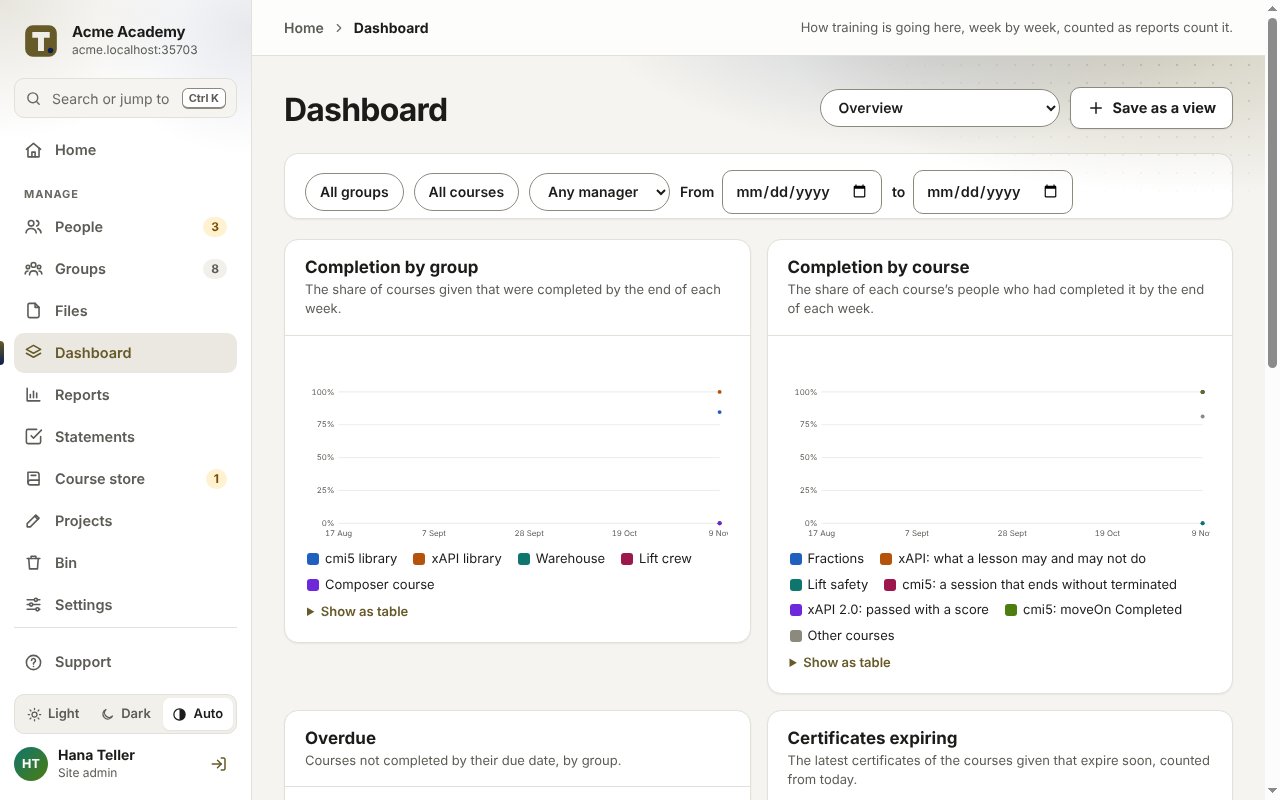
Reports show who has finished, in each client’s site.

Run it for them, or let them run it

You run it

Your team are the site’s admins and managers. You add the people, give the courses and send the reports, and charge for it as a service.

They run it

The client’s own site admin adds their people and follows progress. You stay on as a course author or admin to keep the courses up to date.

Everyone in a site uses one of your seats, your own staff included, and seats move between sites whenever you like.

Charging for it

TrioLMS bills you each month, and you charge your clients as you choose. TrioLMS never takes payment from them. You might charge:

  • a set-up fee for the site and the first upload,
  • a monthly fee for each site, covering your TrioLMS cost and your time,
  • and course updates as they come.

The honest limits

  • It isn’t white-label: the TrioLMS name still shows in places, and certificates are checked at triolms.com/verify.
  • Your staff use a seat in each client site they manage.
  • You hold the account, so agree with each client what happens to their site and records if you part ways. Their admins can export their records at any time.
  • Courses play from TrioLMS. A client that wants the course inside its own LMS still needs the zip.

Your client has no LMS? Give them a site.

A training site of their own, set up in an afternoon, with nothing for them to install or buy. You keep the course, and they see who has finished.

Hannah, a freelance learning designer, typing at her computer at home, with a course slide on the screen.
Hannah, freelance learning designer

Your client has no LMS? Give them a training site of their own.

Hannah builds a fire-safety course for a dental group with 40 staff over three practices. The practice manager asks, “How do we get it to everyone, and how do we prove they’ve done it?”

Before
She would have sent the zip, then a shared link, then answered emails for weeks. Nobody would know who finished, and the job would end there.
With TrioLMS
That afternoon she makes the client a site at their own name, uploads the course and adds the 40 staff from a spreadsheet. Each person signs in with a code from their email. At the end of the month the practice manager gets a report: 36 of 40 finished, each with a certificate.
Then
Hannah charges a set-up fee and a monthly fee for hosting and updates. When the client asks for a second course, it goes on the same site.
The honest bit
The site says it runs on TrioLMS. Her client didn’t mind, because it carried their name.

This is an example. The names and details are made up.

Sound familiar?

“My client has no LMS.”

A finished Storyline course and nowhere to put it. A shared link tracks nothing, and nobody can say who finished.

“It’s only for 40 people.”

A full LMS is too much for them to buy, and too much for you to look after.

“I’d like to be paid for updates.”

Once the zip is handed over, the course goes out of date and nobody asks you to change it.

How it works

  1. Make your client a site at clientname.triolms.com.
  2. Upload the SCORM, xAPI or cmi5 export from Storyline, Rise or Captivate.
  3. Add their people. Each gets an email to confirm their address, then signs in with a code. No passwords.
  4. Send the client a report of who has finished, or make one of their people the site’s admin.
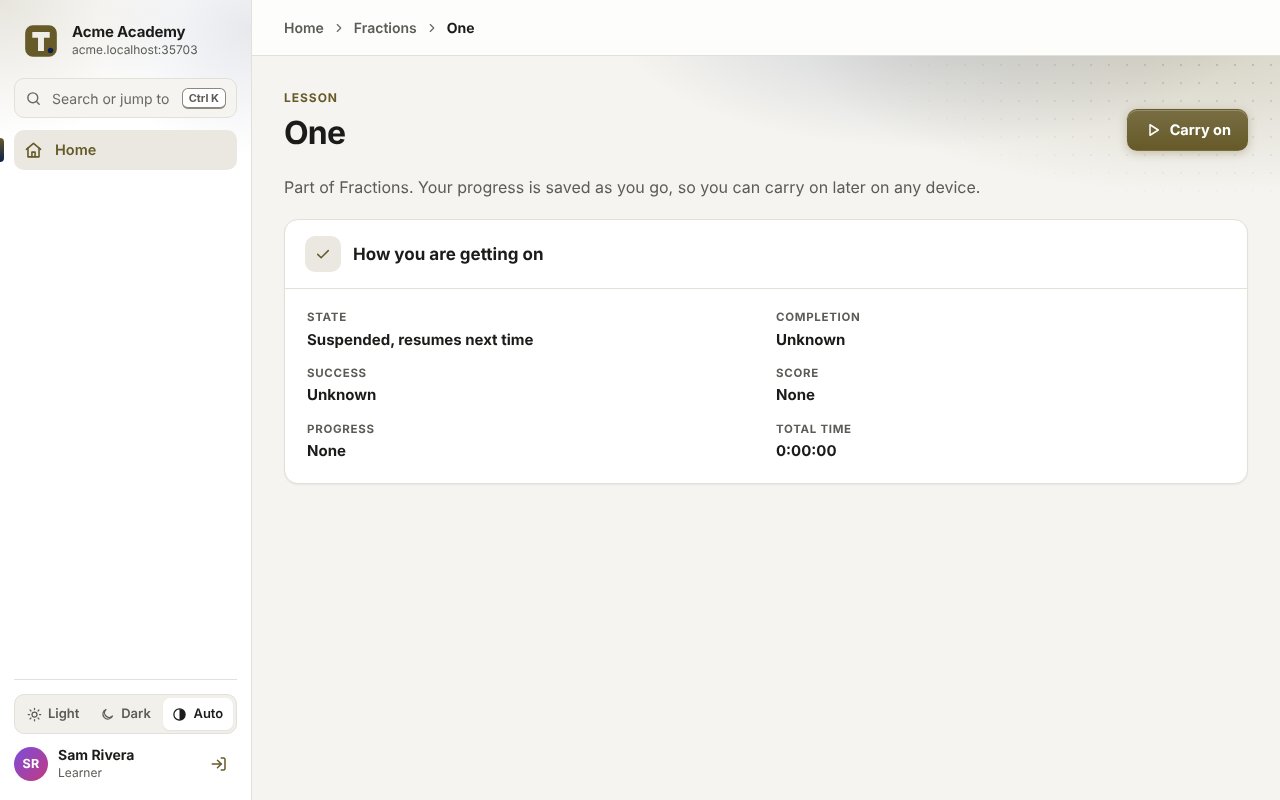
What your client’s people see: the lesson, on any device.

Start with one client

Start with one client. The account comes with one training site and five seats, and you add the seats your client needs. Charge your client a set-up fee and a monthly fee for hosting and updates: TrioLMS bills you, and you bill them. Add a site when the next client comes. When a contract ends, archive the site at your next billing date, and keep its seats for the next client or take them off your bill.

Every branch trained, from one account

For franchises, care and nursery groups, and businesses with several branches. Give each one a manager who sees only their people, reuse seats as staff come and go, and have proof of training ready for every inspection.

Roberta, training lead for a group of care homes, at her desk with a completion chart on screen, and a nurse beside her holding a clipboard.
Roberta, training lead for a care group

Every care home trained, and proof ready for the inspector.

Roberta runs training across 12 care homes with about 300 staff. An inspector is due at the group’s Northfield home on Thursday.

Before
She would spend Tuesday chasing three spreadsheets and finding two expired certificates.
With TrioLMS
Each home is a group with its own manager. New starters are given the induction courses with a due date from their first day, and reminders go out by themselves. On Tuesday she opens the report for Northfield, downloads it as a PDF and sees who is overdue. The manager sorts out the two in time.
Then
When someone leaves, their seat goes to the next starter, and their record stays for the audit period.
The honest bit
Everyone needs an email address to sign in, or a company sign-in with the single sign-on add-on, and that needs settling before the group starts.

This is an example. The names and details are made up.
Sound familiar?

“Half our staff change every year.”

Every new starter costs another licence, and the leavers’ records go with them.

“Every branch trains its own way.”

Head office can’t see which site is behind, or who is overdue.

“The inspector wants proof.”

The answer is in three spreadsheets and somebody’s inbox, and some certificates have quietly expired.

Two ways to set it up

One training site, a group for each branch

One address for everyone. Each branch is a group with its own manager, who adds their people, gives courses and sees only their own group.

A site for each brand or company

Each one has its own address, admins, branding and records, kept apart, sharing your account’s pool of seats.

You can mix them: a site for each brand, with a group for each branch inside it.

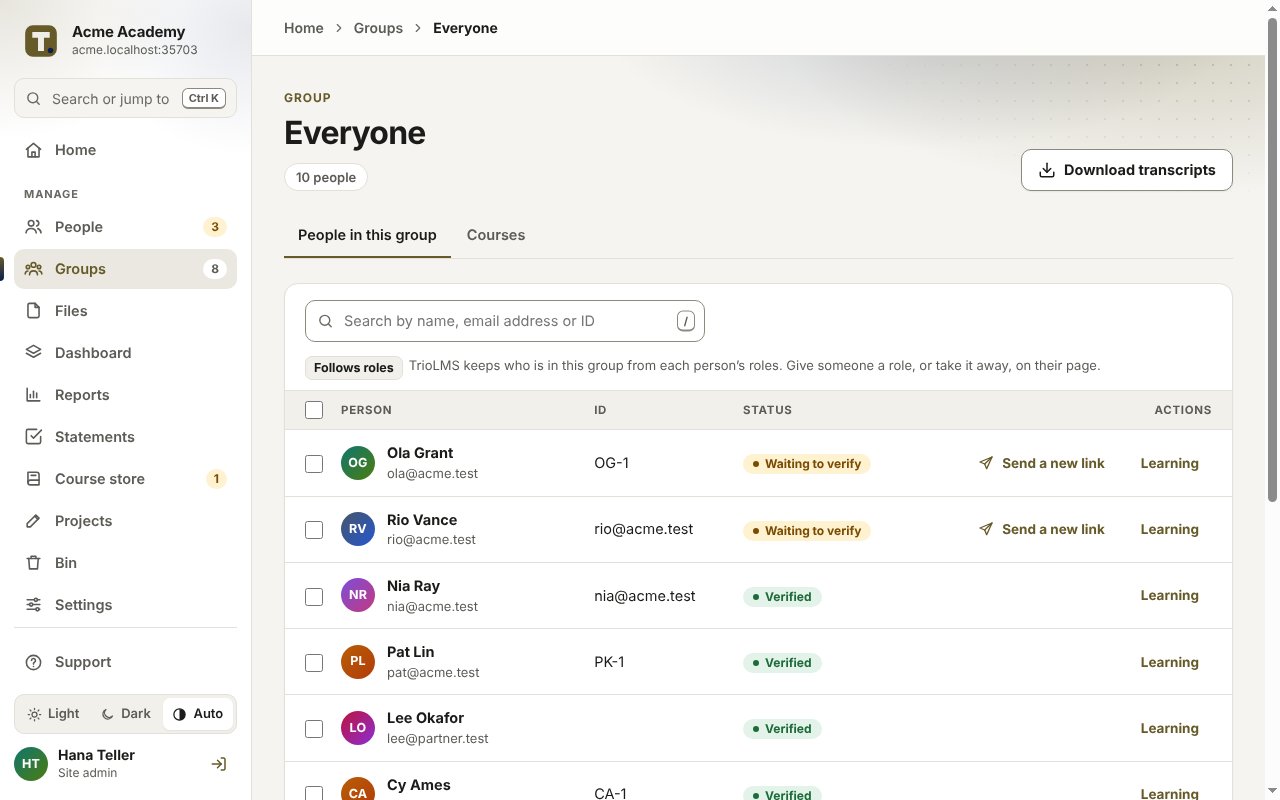
A group and its people, with who has confirmed their address.

What you get

  • Seats you can reuse: when someone leaves, their seat goes to the next starter, and their record is kept.
  • Due dates that follow each new starter from their first day, with reminders and renewals.
  • Courses on any phone, with a code by email and no passwords.
  • Certificates with a code and a QR code anyone can check.
  • Reports by branch, as a spreadsheet or PDF, or emailed every week or month.
  • Staff added from a spreadsheet, with a preview before anything changes, or from your directory with the single sign-on add-on.

Set up your first site

Start a free trial, or talk to us and we’ll set up your first client or branch with you.