
Guide
How do I keep training the same across several branches?
Give every branch the same courses from one account, let each branch manager see only their own people, and see who is up to date across all of them.
Start your 14-day free trial5 seats, one site and 1 GB for 14 days. A card is needed, and nothing is charged unless you buy.
Without TrioLMS
- Every branch trains its own way
- Records in different places
With TrioLMS
- The same courses in every branch
- Managers see only their own people
- Certificates with expiry dates
The problem
Each branch has trained its people its own way: a course here, a printed sign-off sheet there, a spreadsheet kept by whoever runs the branch. When someone asks head office who is up to date, the answer means phoning round.
What you need is the same courses everywhere, someone at each branch who looks after their own people, and one place that shows who has finished and who is due.
What people usually try
- A spreadsheet at each branch. It’s free, but it’s only as current as the last person who updated it, and nobody can see across the branches.
- One LMS account with everyone in it. Branch managers then see every branch’s people, or can’t add their own.
- An LMS for each branch. Each works, but the courses and records end up in as many places as there are branches.
How it works in TrioLMS
- Choose how to split it. One site with a group for each branch keeps everyone in one place. A site for each branch gives each its own address and admin.
- Upload each course once and approve it. With one site, give it to every branch’s group. With a site per branch, keep it in your account’s course library and copy it to each.
- Make each branch manager the manager of their branch’s group. Managers see only the groups they manage, and add new starters to them.
- Set a due date, or a number of days after someone joins, so new starters get their courses by themselves. Reminders go out by email.
- Each pass gives a certificate with its own code and an expiry date, and the course can be given again a set number of days before it runs out.
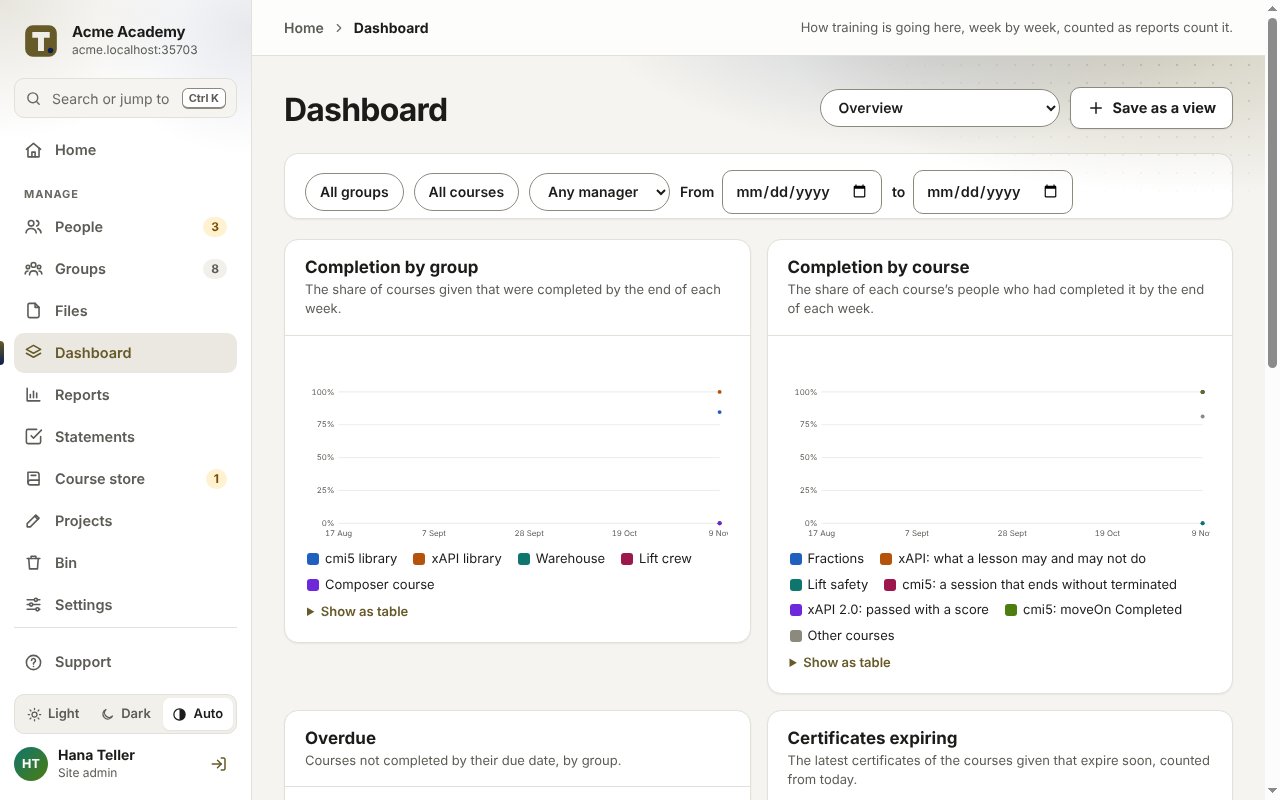
- See completion by branch and course on the dashboard, and download the reports as a spreadsheet or PDF when you’re asked.
What it doesn’t do
- It isn’t an HR system. People are added by hand, from a spreadsheet, or from your directory with the single sign-on add-on.
- It doesn’t book rotas, rooms or classroom sessions. It runs online courses and keeps their records.
- Everyone who signs in needs an email address, or a company sign-in with the single sign-on add-on.
What it costs
You pay TrioLMS monthly for your account, its seats and any sites past the first. The worked example for a business with 12 branches shows the price in your currency.